The number of menu options available within IDS varies depending upon the complexity of your IDS system.
It may be a benefit to your users to only display to them those menu options that they will actually
need to use.
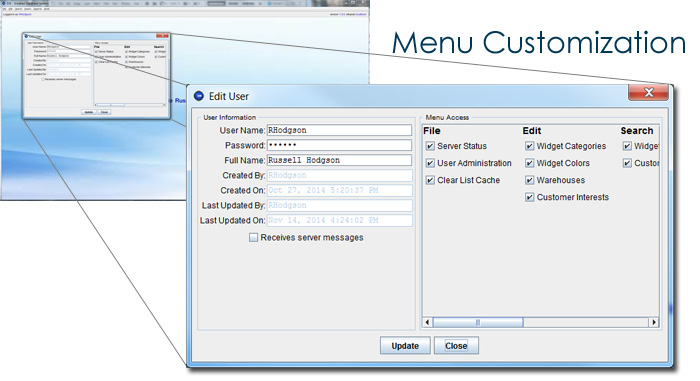
This has several benefits. Firstly, it simplifies their IDS screen. A simpler screen makes it easier
to learn the system, and makes the user more efficient. Secondly, you may want some menu options only
to be available to certain people for security or other reasons. IDS allows you to select exactly
which users have access to which menu options.
Next >>
Why IDS?
•
IDS - Growing With You
•
IDS & Automation
•
IDS & Data Security
•
IDS - Desktop vs Browser Client
Features Overview:
•
IDS Desktop
•
Customized data search screens
•
Customized data editing screens
•
Customized reporting tools
•
Customized data import & export tools
•
Bulk emailing
•
Customizable menus per user
•
Update multiple databases simultaneously
•
Website & mobile integration
Technical Overview:
•
Java based (runs on Windows and Mac)
•
Integrates with MS SQL Server or MySQL databases
•
XML & JDBC technology
